






Name Tag in CS2 — How to rename a weapon, how much it costs, and whether you can remove a custom name
A Name Tag allows you to completely replace the default name of any weapon in CS2, making your inventory more unique and personalized. In this guide, we'll explain how much a Name Tag costs, where to buy one, how to rename a weapon, how to remove a custom name, what limitations apply, and which characters you can use.
Name Tag in CS2 — How to Rename a Weapon, How Much It Costs, and How to Remove a Custom Name
Customization has always been one of the defining features of Counter-Strike 2. Besides skins, stickers, and charms, players can make their weapons truly unique with a Name Tag — a special in-game item that allows you to replace the default name of any weapon with your own custom text. The custom name is displayed when inspecting the weapon, in your inventory, and in the buy menu during a match.
Many players use Name Tags for more than just appearance. Some come up with funny names, others personalize expensive collector skins, while some make their weapons part of their own in-game identity. In this article, we'll explain what a Name Tag is in CS2, how to rename a weapon, how much a Name Tag costs, which characters you can use, and how to remove a custom name if necessary.
What Is a Name Tag in CS2?
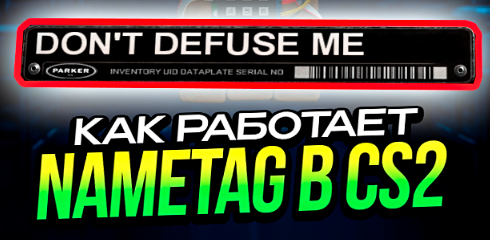
A Name Tag is a special in-game item that allows you to change the default name of any weapon or the C4 in your inventory. Once applied to a selected skin, the custom name appears when inspecting the weapon, in your inventory, and in the buy menu during a match.
The item is single-use. After applying it, the Name Tag disappears from your inventory, while the new name becomes permanently attached to the selected weapon. If you later decide to change the name again, you'll need to purchase another Name Tag.
Name Tags first appeared during the Counter-Strike: Global Offensive era and almost immediately became a popular customization feature. Over the years, players have created millions of unique names—from funny memes to elegant signatures for expensive knives and rare collector skins. In Counter-Strike 2, the mechanic remains unchanged and continues to be widely used by the community.
How to Apply a Name Tag to a Weapon in CS2
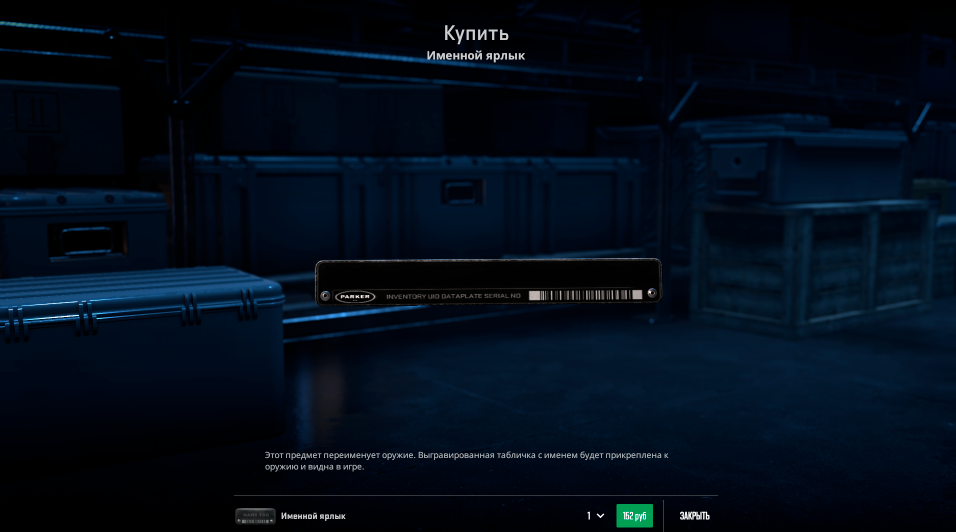
Renaming a weapon is quite simple. First, you need to purchase a Name Tag. There are two ways to do this: through the Counter-Strike 2 in-game store under the Tools section or on the Steam Community Market. Buying it in-game is usually cheaper, costing around 150 RUB, while the Steam Market price is typically around 300 RUB, depending on demand.
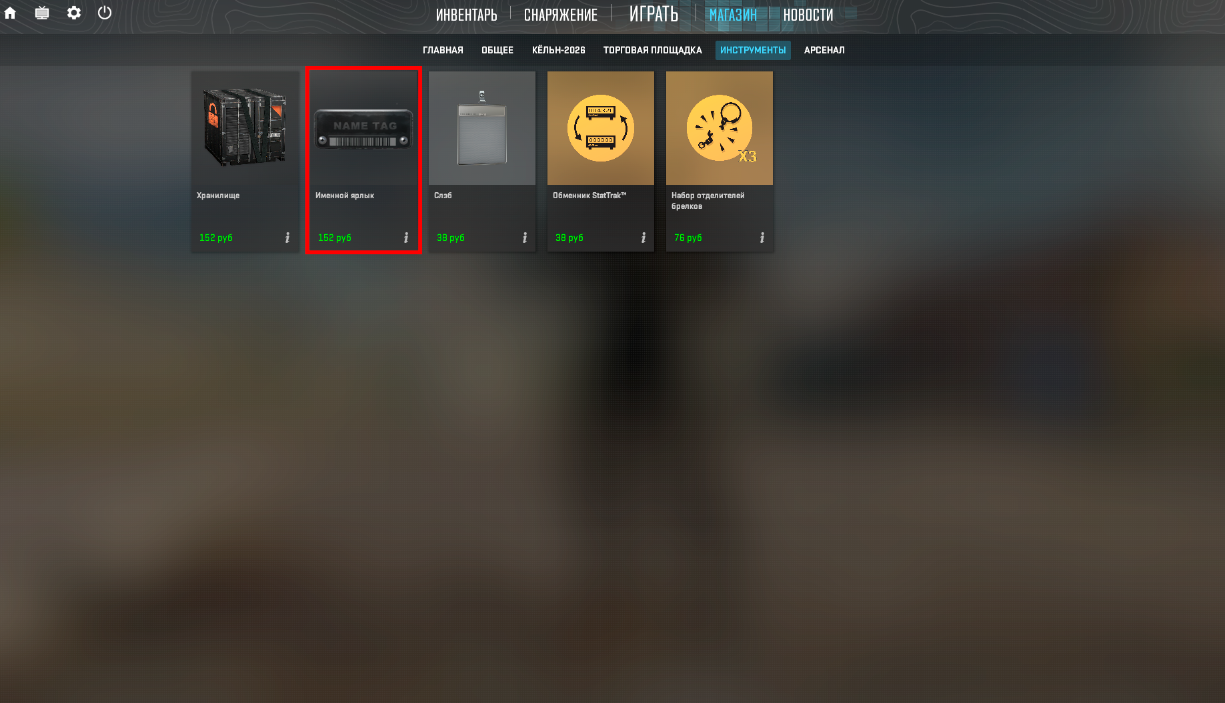
After purchasing it, the Name Tag will automatically appear in your Steam inventory. Open your inventory, select the Name Tag, and click Use. Then choose the weapon you want to rename.
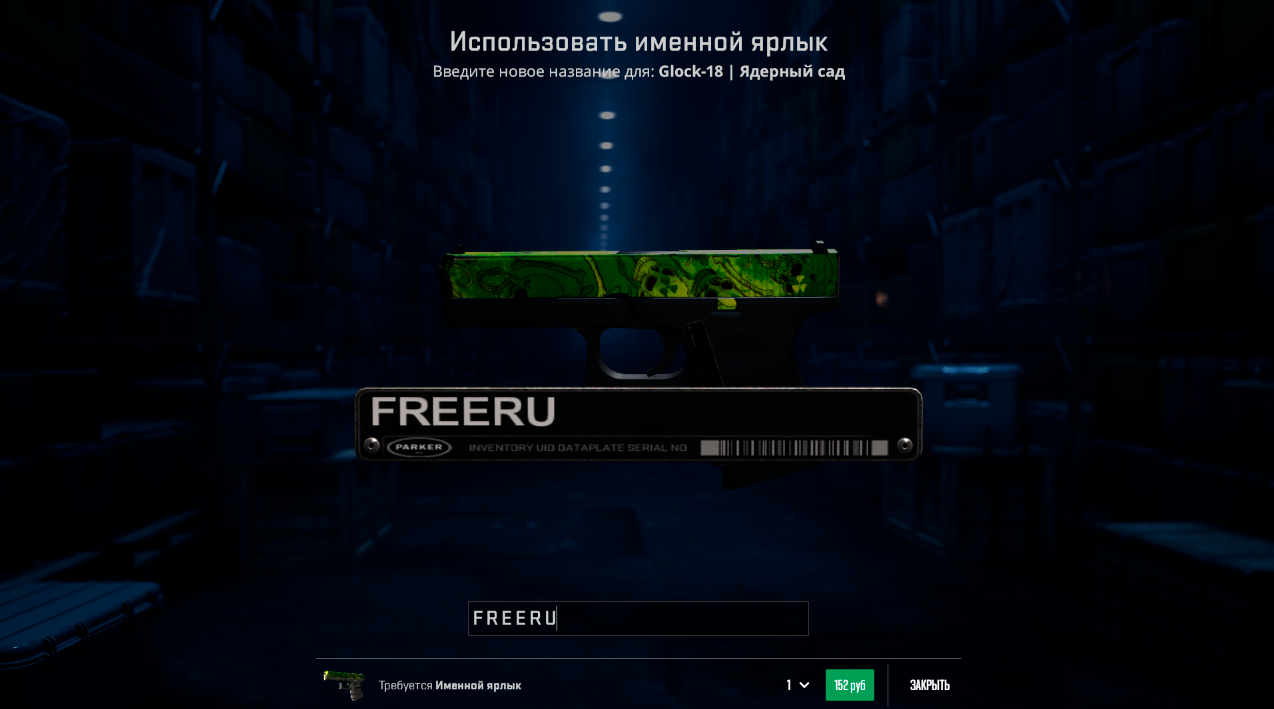
After selecting the weapon, a dedicated window will open where you can enter your custom text. Once confirmed, the weapon immediately receives its new name. The change takes effect instantly and is visible both to the owner and to other players when they inspect the weapon.
Name Tag Restrictions in CS2
Although players have complete freedom when choosing a custom name, Valve has implemented several restrictions to prevent abuse of the system.
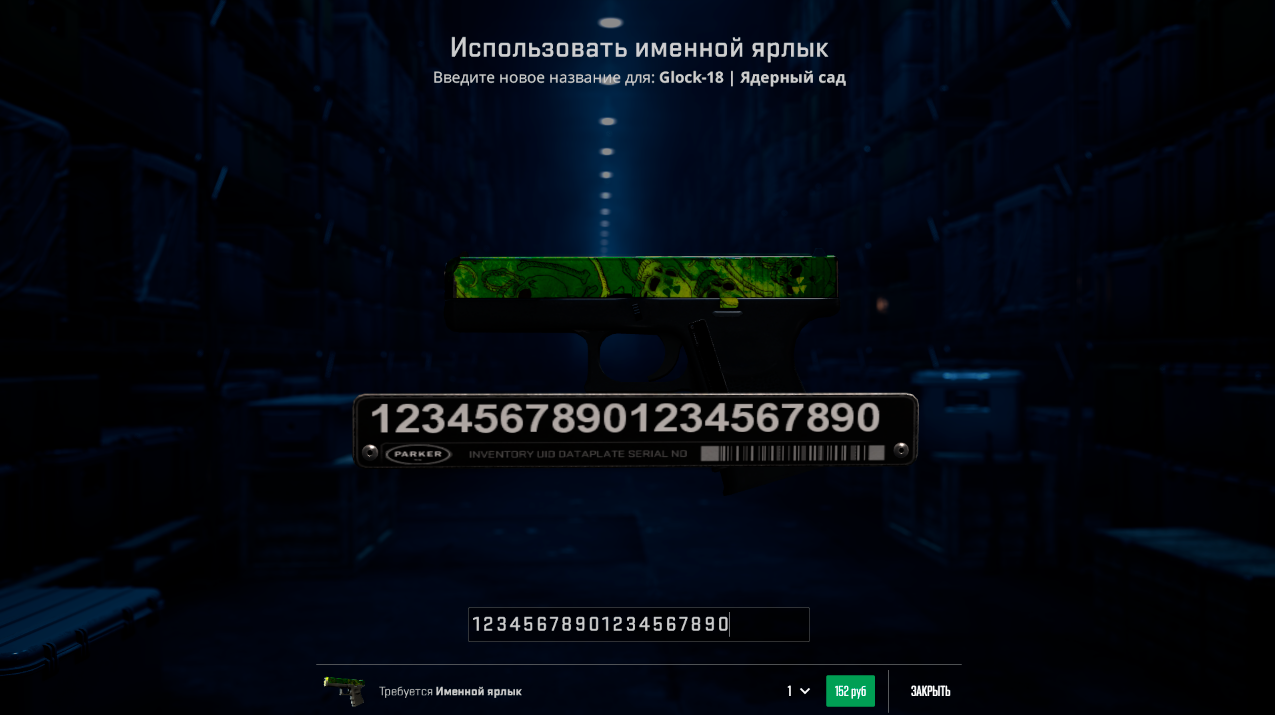
The primary limitation is the text length. A Name Tag can contain a maximum of 20 characters, including spaces. Because of this, long sentences are not possible, and most players choose short phrases, memes, or single words.
Valve also applies automatic filtering to prohibited content. Names containing offensive language, inappropriate expressions, or content that violates the Steam Community Rules may be blocked. In some cases, the game simply won't allow the text to be saved.
It's also important to remember one more limitation: a Name Tag cannot be transferred to another weapon. Once applied, it remains permanently attached to the selected item until you either rename it again or remove the custom name.
How to Remove a Name Tag in CS2
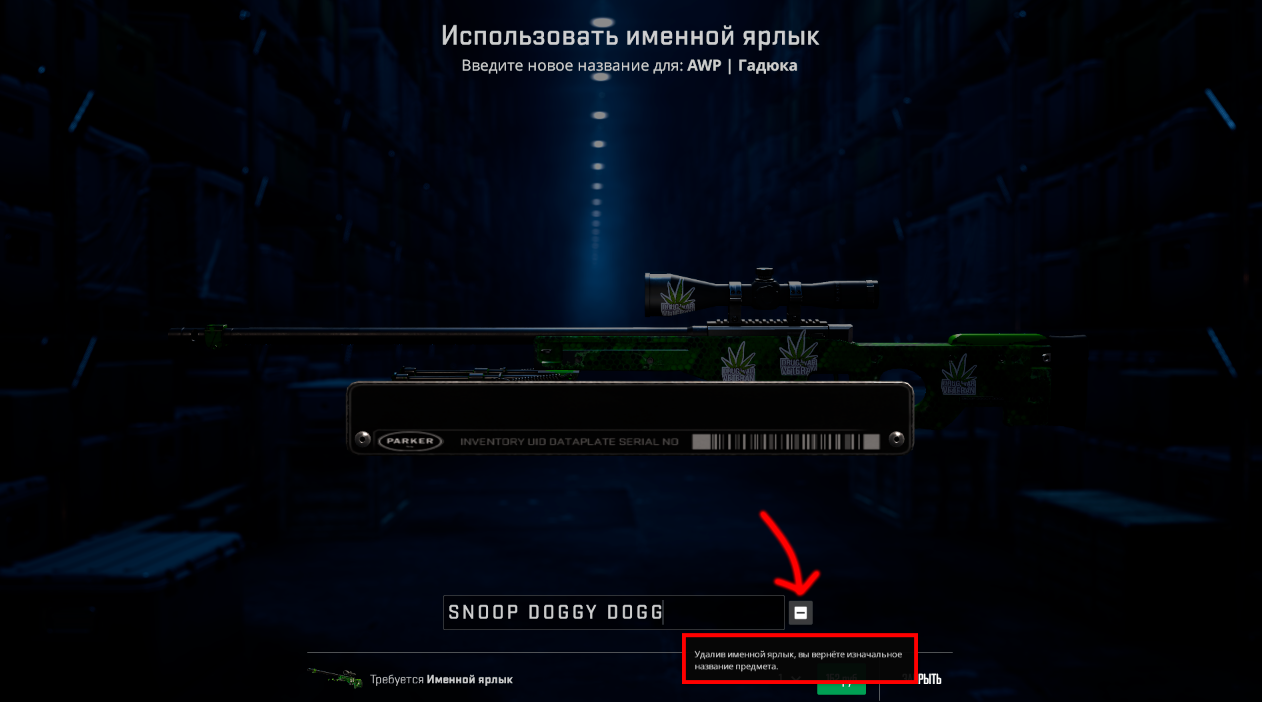
If you no longer like the custom name, you can remove it. Simply open the weapon in your inventory, choose the rename option, and use the feature that removes the Name Tag.
After doing so, the weapon will return to its original default name assigned by the developers.
However, there's one important detail—the used Name Tag is not refunded when you remove the custom name. If you decide to rename the same weapon again later, you'll need to purchase another Name Tag. That's why many players prefer to come up with the perfect name before applying it to an expensive skin.
Which Characters Can Be Used in a Name Tag?
One of the most interesting features of the Name Tag system is its support for Unicode characters. This means players can use not only standard letters and numbers, but also thousands of decorative symbols, arrows, shapes, stylized letters from different alphabets, and many other special characters.
That's why many creative Name Tags immediately stand out from the rest. Players often add decorative symbols before or after the name, use stylized letters, or create completely unique text designs.
Just remember that all characters count toward the overall 20-character limit, including spaces.
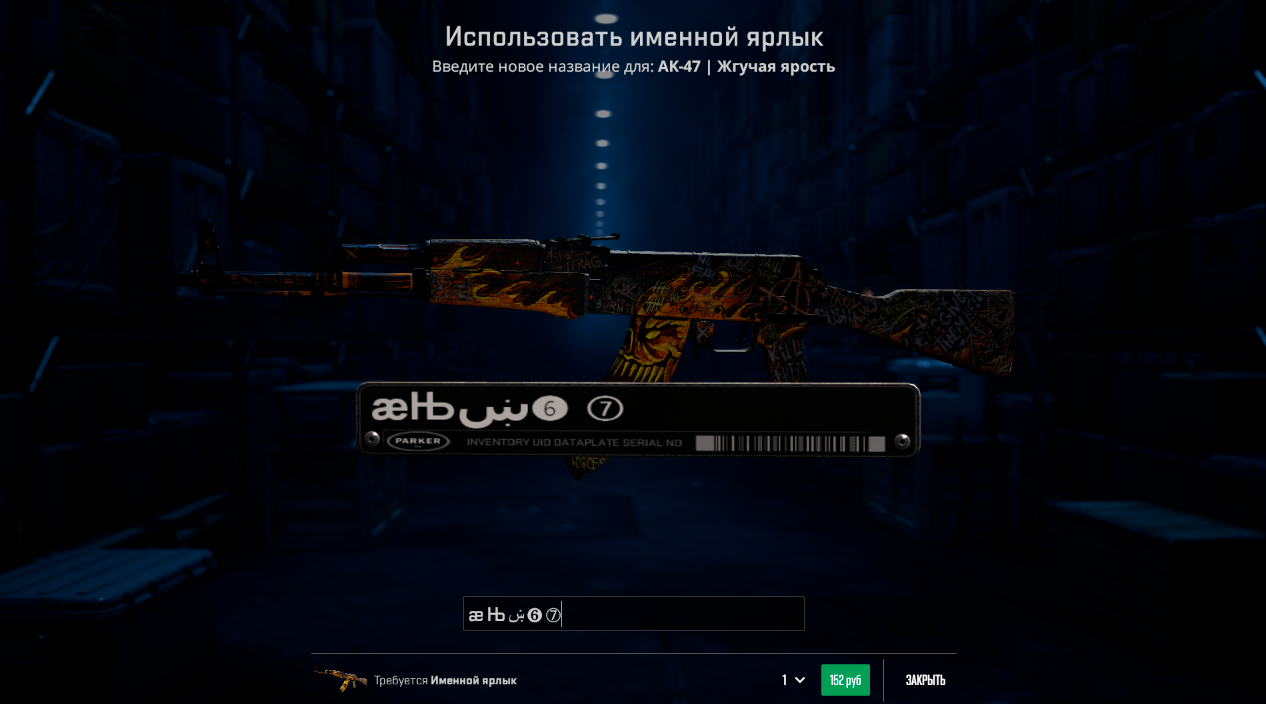
Name Tag Ideas for CS2
Weapon names have long become a separate part of Counter-Strike culture. Some players prefer serious names, others enjoy self-deprecating humor, while many create funny memes that only experienced players truly understand.
Some of the most common examples include "One Tap", "Eco Destroyer", "Headshot Machine", "No Scope", "Last Bullet", "Clutch Time", and "One Bullet One Life". These names look great on almost any weapon.
Owners of expensive knives often give them unique names inspired by their finishes. For example, Karambit Fade is frequently paired with bright and colorful names, while Doppler and Gamma Doppler knives usually receive cleaner and more elegant names. AWP owners often name their rifles after their favorite professional players or iconic highlights.
Some players even turn their Name Tags into jokes. Ultimately, the only limit is the owner's imagination.
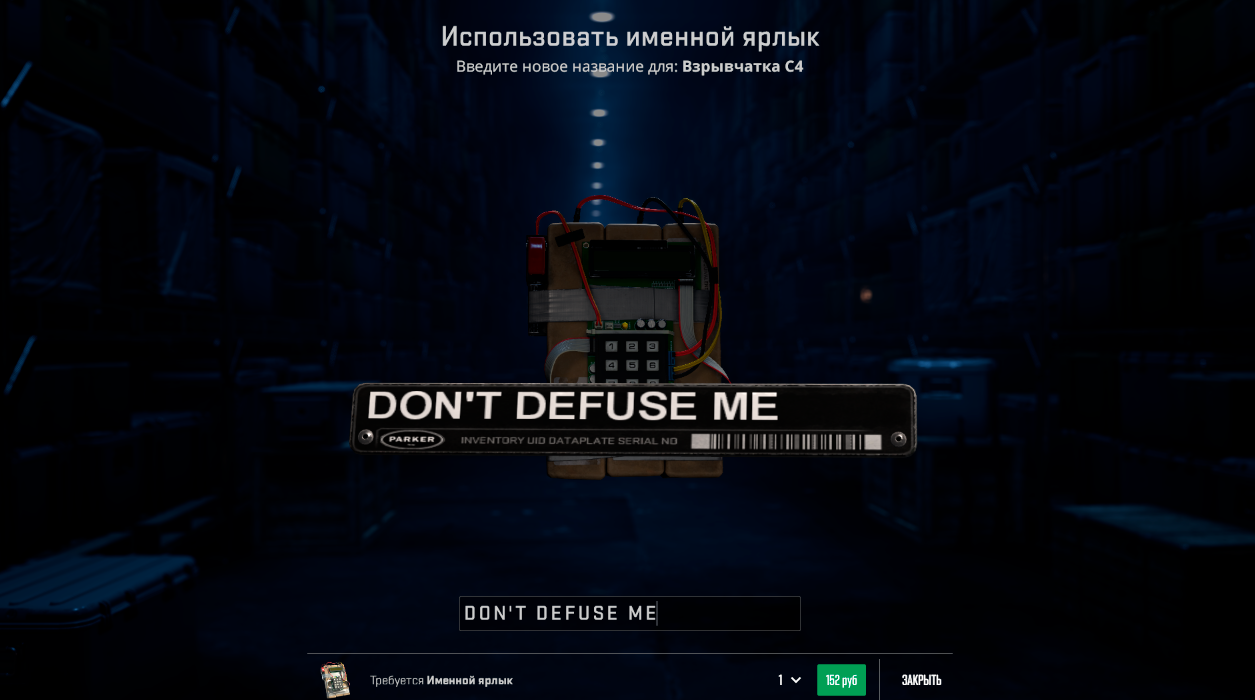
Is a Name Tag Worth Buying in CS2?
A Name Tag remains one of the most affordable ways to personalize your inventory in Counter-Strike 2. It has no effect on gameplay, provides no competitive advantages, and doesn't change a weapon's performance, but it allows even an ordinary skin to become far more memorable.
Name Tags are especially popular among owners of expensive knives, gloves, AWP, AK-47, and M4A1-S skins because they add an extra level of individuality to collectible items. Many players have been using Name Tags for years, constantly coming up with new ideas and creative weapon names.
If you've been thinking about making your weapon unique, highlighting your favorite skin, or simply adding a bit of humor to your inventory, a Name Tag is an excellent choice. Thanks to support for thousands of Unicode characters and complete freedom when choosing your custom text, every player can create a weapon name that perfectly reflects their own personality and playstyle.
Leave a comment
Top Sites

CSFAIL
Opening a free case

Upgrader
CS2 Skin Upgrade

Donatov
Promo code for top-up

GGDROP
Promocode for bonus wheel

GalaxyLink
Discount promo code

Lis-skins
To sell skins profitably

AvanMarket
Profitable to sell skins

MyCSGO
Deposit Promo Code

Moonmarket
Selling skins profitably
User comments: