








Analysis of all key CS2 binds: quick console commands, jumps, crosshair switching, bomb handling, volume control, and other useful functions.
A breakdown of useful CS2 binds: from enabling the console and checking commands to wheel jumps, crosshair, HUD, and fast grenade handling.
Top CS2 Binds: The Best Commands That Truly Help in the Game
Counter-Strike 2 is a game where every second can decide the outcome of a round. This is exactly why experienced players use CS2 binds — special commands assigned to specific keys that speed up actions, automate routine tasks, and provide maximum comfort during gameplay. In CS2, binds remain as powerful as they were in previous versions of the game, helping improve shooting accuracy, grenade execution, movement, economy, and communication.
This article contains a detailed breakdown of the best CS2 binds — from simple to advanced ones. All binds are completely allowed and safe to use, as they are standard built-in game settings. You can use them in any mode: matchmaking, Premier, FACEIT, retakes, deathmatch, or community servers.
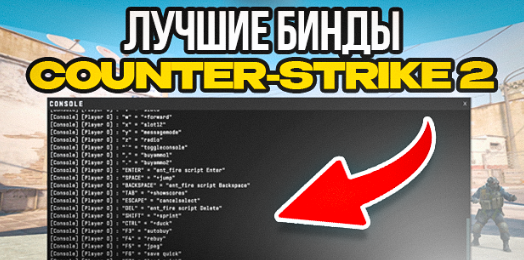
What CS2 Binds Are and Why You Need Them
A bind is not just a key assignment in the settings menu — it's an internal console command manually typed into the developer console. While this might look complicated to beginners, it’s actually very simple: binds are just text-based settings that can be enabled or disabled at any time.
Binds provide players with major advantages:
they speed up routine actions
save valuable fractions of a second
improve grenade execution
increase movement and shooting consistency
make the game easier and more comfortable overall
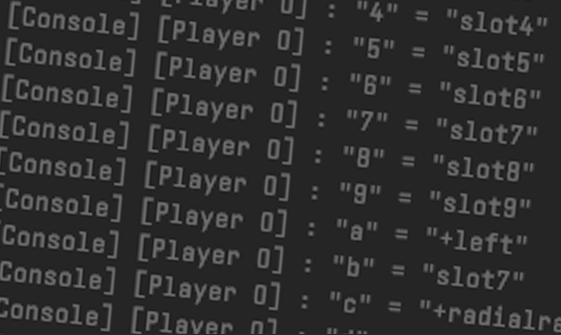
How to Enable the Developer Console in CS2
To enter binds, you’ll need the developer console. To enable it:
Open Settings.
Find Enable Developer Console and set it to Yes.
Now you can open the console by pressing ~ (tilde) — usually located under Esc.

How to Enter Binds
When the console is open, use the following format:
bind "key" "command"
Example:
bind "v" "+jump"
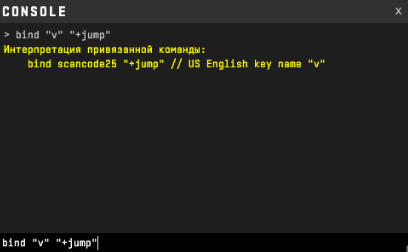
Now the V key executes a jump.
How to Check If a Bind Works
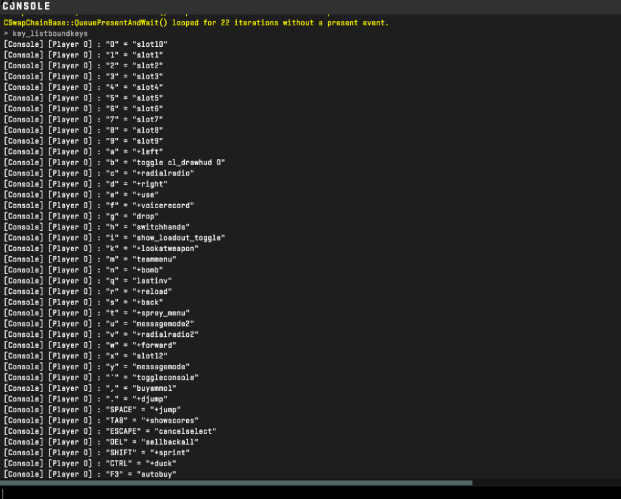
Open the console and type:
key_listboundkeys
This command displays all currently assigned binds.
How to Remove a Bind
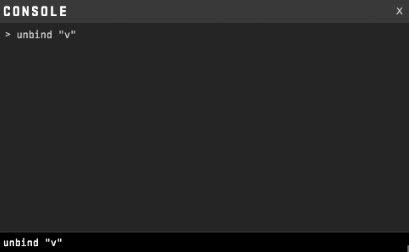
To delete an assigned command, use:
unbind "key"
Example:
unbind "v"
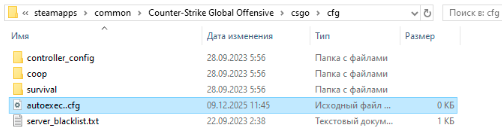
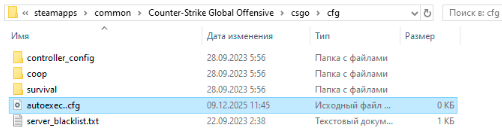
If you want binds to be saved permanently, add them to your autoexec.cfg file.
The Best CS2 Binds — Full List and Commands
Below is a list of the most useful and popular CS2 binds used by thousands of players.
1. Bind to Show FPS in CS2
bind "key" "toggle cl_showfps 0 1"
Allows you to quickly toggle FPS display on or off — useful during matches and training.

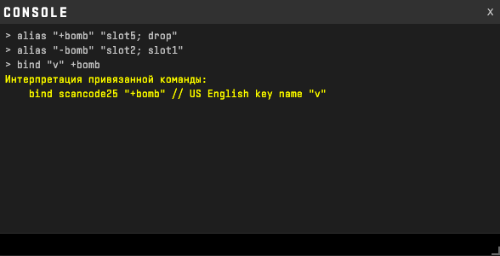
2. Instant Bomb Drop Bind
Enter these commands one by one:
alias "+bomb" "slot5; drop"
alias "-bomb" "slot2; slot1"
bind "key" +bomb
Great in clutch situations when you need to quickly pass the bomb to a teammate.
3. Volume Toggle Bind
bind "key" "volume 0.03 0.6"
With one press, the sound drops to a minimum — useful for DM, aim maps, or concentration mode. Press again to restore normal volume.

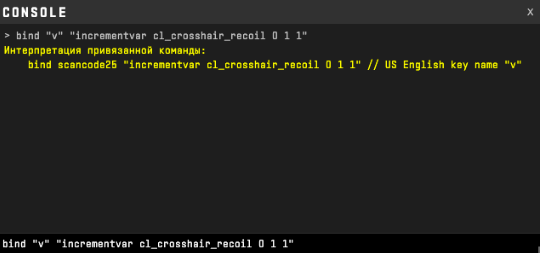
4. Toggle Recoil Following for the Crosshair
bind "key" "incrementvar cl_crosshair_recoil 0 1 1"
Switches the recoil-tracking crosshair on and off. Helpful for practicing spray control.
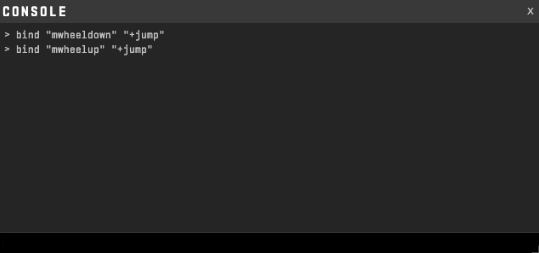
5. Mouse Wheel Jump Bind
bind "mwheeldown" "+jump"
or
bind "mwheelup" "+jump"
This is one of the most iconic binds — perfect for bunnyhopping, jump-spotting, and precise movement.
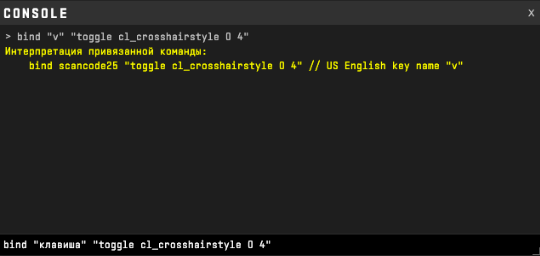
6. Quick Switch Between Dynamic and Static Crosshair
bind "key" "toggle cl_crosshairstyle 0 4"
Dynamic crosshair for practice, static for competitive play. One key press switches between the two instantly.
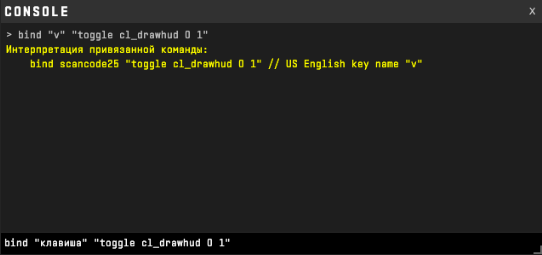
7. Quick Toggle HUD On/Off
bind "key" "toggle cl_drawhud 0 1"
Useful for screenshots, recordings, map analysis, or demos. Turn the HUD back on instantly before the match starts.
8. Instant Sensitivity Switch
bind "key" "sensitivity 0.6 1.8"
Low sensitivity for the AWP, high sensitivity for fast pushes or pistol rounds. Switching takes less than a second.

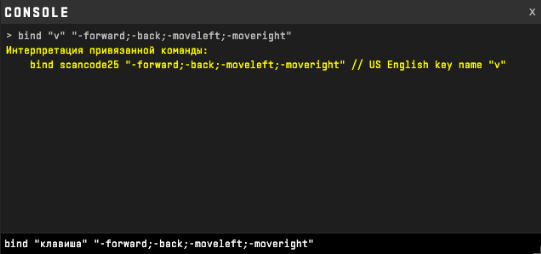
9. Instant Movement Stop Bind
bind "key" "-forward;-back;-moveleft;-moveright" This bind removes movement inertia completely — ideal for accurate tap shots, peeks, and 1v1 duels.
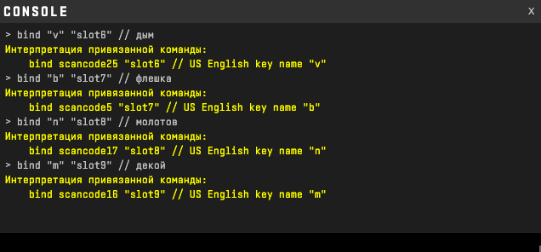
10. Quick Switch Between Grenades
bind "key" "slot6" // Smoke
bind "key" "slot7" // Flashbang
bind "key" "slot8" // Molotov/Incendiary
bind "key" "slot9" // Decoy
Switch grenades instantly — crucial for fast executes, retakes, and precise utility usage.
Conclusion: Why CS2 Binds Are a Must-Have
CS2 binds aren't cheats or hidden mechanics — they are built-in tools that make gameplay faster, cleaner, and more efficient. Binds:
save valuable seconds
improve shooting accuracy
speed up grenade execution
give better control over movement
increase overall consistency
Almost every experienced player uses their own set of binds. Customizing binds to your playstyle is one of the easiest ways to elevate your gameplay without buying new gear or spending hours on training.
Leave a comment
Top Sites

CSFAIL
Opening a free case

Upgrader
CS2 Skin Upgrade

Donatov
Promo code for top-up

Lis-skins
To sell skins profitably

GGDROP
Promocode for bonus wheel

AvanMarket
Profitable to sell skins

MyCSGO
Deposit Promo Code

Moonmarket
Selling skins profitably

GalaxyLink
Discount promo code
User comments: